



Test Before Buying
Run InjuredPixels without installation, and check any LCD monitor or tablet for dead pixels or defects. Even in the store.

Test After Buying
Test a screen during the warranty period, as you may get a replacement according to the manufacturer's dead pixel policy.

Injured Pixels
Easily check for hot, dead or stuck pixels, for pixels that do not illuminate properly or do not display the correct color output.

Color Testing
InjuredPixels fills the entire screen with a single color, so you can check for pixels that do not match the selected color.

Easy Controls
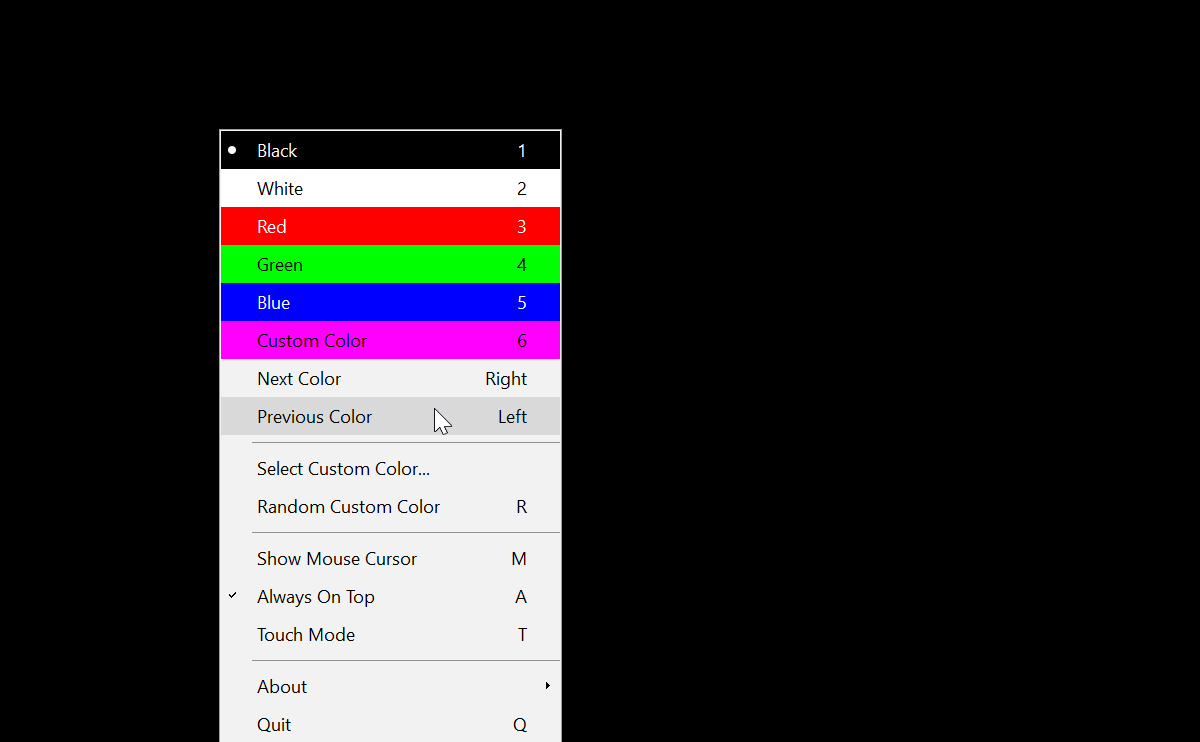
Just click or use the arrow keys to cycle through the test colors, or right-click to get the menu with the main commands.

Multi-Monitor Support
InjuredPixels has built-in multi-monitor support, so you can check all connected monitors for dead or defective pixels.
Featured in the Media

If you aren't exactly sure where your pixel problem is, you can use the aptly-titled InjuredPixels. The pixel detector allows you to blank out your screen in multiple colors to test the display.
In the news

InjuredPixels gets down to business immediately ... As hardware diagnostics applications go, then, InjuredPixels is just about as simple a program as you'll see. But it's also capable, effective and easy to use.
In the news

Apart from turning on the monitor in the store, also run InjuredPixels. ... Its file size, speed, ease of use, and portability are advantages that not every monitor checking software has.
Reviewed in Indonesia